
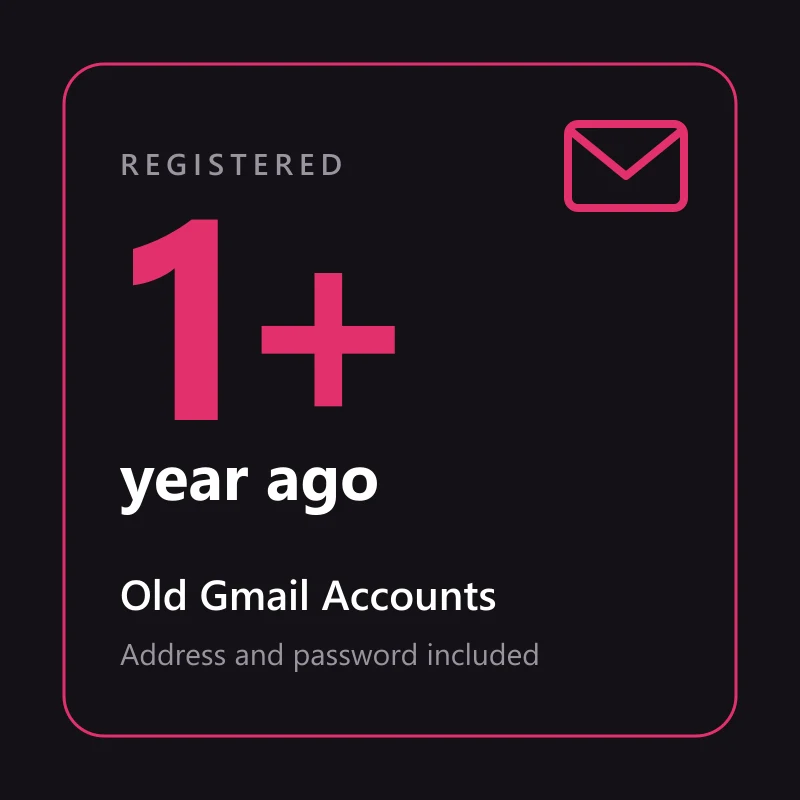
Buy Old Gmail Accounts
5000 in stock
A Gmail account registered more than a year before delivery, with its address and password, and on most batches a recovery email plus a 2FA secret, backup codes or an app password. Replaced within 24 hours if it does not sign in as delivered.
Delivery format: email:password:recovery email:2FA secret
One account per line on your order page. Some batches add backup codes or an app password, and the field order can change between batches; the table further down shows how to tell the fields apart.
When Google asks for a 6-digit code, paste the 2FA secret into the checkkit.net 2FA code generator and enter the code it shows, or use one of the backup codes.
What "old" means on this listing
Gmail batches are sold by the years in their names: "2023 2024", "2019 to 2022", "2022 year old". Some of those ranges end last year, which makes the newest accounts in them only months old. This listing takes a stricter line. Every account was registered more than a year before it reaches you, so a batch whose range runs into last year or this year is left out.
- Registered more than a year before delivery, on every account in the order
- The Gmail address and its password, with every account
- A recovery email on most batches
- On most batches, a way past the second step too: a 2FA secret, backup codes or an app password
- Not promised: a phone number on the account, a particular year, or that nobody used it before you
Where the age comes from
Gmail shows no join date the way a social profile does. The age is the registration years the batch states, and we only take batches whose whole range sits more than a year back. Old mail in the inbox, where the previous owner left some, is a rough cross-check.
What a year of age does not buy
A sending reputation, contacts, or a pass on security checks. Most old accounts sat quiet before they were sold. Google still checks a sign-in from a new device, however old the account is.
The extras that get you through the first sign-in
An address and a password open a new Gmail. An old one is different: Google has years of history on it, and the first login from your device often gets a question. What answers that question is whatever came in the delivery besides the password.
- A recovery email answers the "confirm your recovery email" prompt
- A 2FA secret lets you make the 6-digit code yourself, whenever Google asks
- Backup codes are 8 digits long, and each one works a single time
- An app password connects a mail app or script over IMAP without the web sign-in
Why "most batches" and not every one
Each order is filled from a current batch that meets the year floor. Most of them ship a recovery email and one of the 2FA extras, but a batch with only address and password can still qualify. We would rather say so here than have you find out on arrival.
Years can differ inside one order
Order five and you might get 2019, 2022 and 2023 accounts side by side, all over a year back. The price does not move when the batch behind the listing changes.
Old, US or fresh: matching the Gmail to the job
The right account depends on what you will do with it after you sign in. These are the jobs buyers on this site bring most often.
| The job | What to buy | Why |
|---|---|---|
| A sign-up that is wary of brand-new addresses | Old, over a year | Some sites weigh how long an address has existed, and a new one is the easy thing to flag |
| Dozens of throwaway addresses for a tool | Fresh batches from the catalogue | Age adds cost you will never use |
| An app or ad account that should read as American | USA Gmail accounts | Region and age are separate, and this listing does not set the region |
| An address you plan to keep as your own | Old, then take over the recovery details slowly | The account is only yours once the password and recovery email are yours |
An illustrative guide drawn from what buyers on this site order, not a rule published by Google.
Reading the fields in your delivery
Each account sits on its own line of the order page, with its fields separated by colons. Batches do not agree on the order of those fields, so recognise each one by how it looks.
| Field | How to recognise it | What you use it for |
|---|---|---|
| Gmail address and password | The first address with an @, usually ending in @gmail.com, then the password | Signing in to Gmail and every other Google service |
| Recovery email | A second address with an @, often at another mail provider | Answering Google when it asks you to confirm the recovery email |
| 2FA secret, backup codes or app password | Groups of capital letters and digits; several 8-digit numbers; or 16 lowercase letters | The 6-digit sign-in code; one pass per backup code; mail apps over IMAP or SMTP, not web sign-in |
Not every batch carries every field. Each listing states what it promises; anything beyond that is extra.
First sign-in problems and fixes
Google looks hard at the first sign-in from any device it has not seen, so a prompt on the first try is normal and usually passes. Accounts that do not work as delivered are replaced within 24 hours.
| What Google shows | What to do |
|---|---|
| Confirm the recovery email | Type the recovery address from your delivery. If Google sends a code to it and you cannot open that mailbox, report it from the order page within 24 hours. |
| "Verify it's you", or the 2FA code is rejected | Stay in one browser profile and wait before trying again; many attempts in a row make the check stricter. For a rejected code, let your device clock update automatically and use a fresh code. |
| Wrong password, or the account is disabled | Copy the fields again with no spaces around them. If it still fails, report it from the order page within 24 hours for a replacement. |
Report from the order page within 24 hours of delivery. The window covers accounts that fail as delivered, not changes made after you sign in.
Four checks while the replacement window is open
The replacement window runs for 24 hours from delivery. Do these in order, from the browser profile you plan to keep using.
- Sign in at gmail.com with the address and password.
- If Google asks for a second step, enter a code from the 2FA secret or one of the backup codes.
- If it asks you to confirm the recovery email, type the recovery address from your delivery.
- If any step fails, report the account from the order page before the 24 hours run out.
Frequently asked questions
- Which year will my accounts be from?
- That depends on the batch your order is filled from, and you cannot pick it. What holds on every account is registration more than a year before delivery. One order can mix years.
- Does an old Gmail account come with a phone number?
- No. Some batches were phone-verified when they were made, but the number is not in the delivery and is not promised. If Google asks for a phone at sign-in, see the "Verify it's you" row in the table above.
- Can I use the app password to sign in on the web?
- No. An app password only works for mail apps and scripts that connect over IMAP or SMTP. On gmail.com you sign in with the account password and, if Google asks, a 2FA code.
- How long does delivery take?
- Usually a few minutes. The batch is chosen when you order, and one batch fills the whole order. If the first choice cannot take it, the next batch that meets the year floor does. Everything lands on your order page.
Recommended products

Gmail Accounts
Buy USA Gmail Accounts
$15.00/ account
Gmail Accounts
10 Days Old EU Used Fresh Google Accounts, EU IP
$2.75/ account
Seller 4.5
Gmail Accounts
10 Days Old Used 2FA Gmail Accounts + App Password, Mixed IP
$3.38/ account
Seller 4.5
Gmail Accounts
Mixed IP
$4.22/ account
Seller 4.5
Gmail Accounts
SMS Verified | No Phone Linked | Recovery Email | Gender Optional | 2FA
$46.57/ account
Seller 4.4
Gmail Accounts
2015 or earlier Google Accounts, Recovery Mail, Mixed IP
$7.82/ account
Seller 4.5Recent reviews
★★★★★2 customers rated 5 stars automatically